> ## Documentation Index
> Fetch the complete documentation index at: https://mw-docs.middleware.io/llms.txt
> Use this file to discover all available pages before exploring further.
# Billing
The Billing section provides a comprehensive and fully transparent view of Middleware's paid services. Make informed decisions about your organizations finances.
For more information on Middleware's Pricing Model, navigate to the [Pricing Page](https://middleware.io/pricing/).
# Purchase Middleware
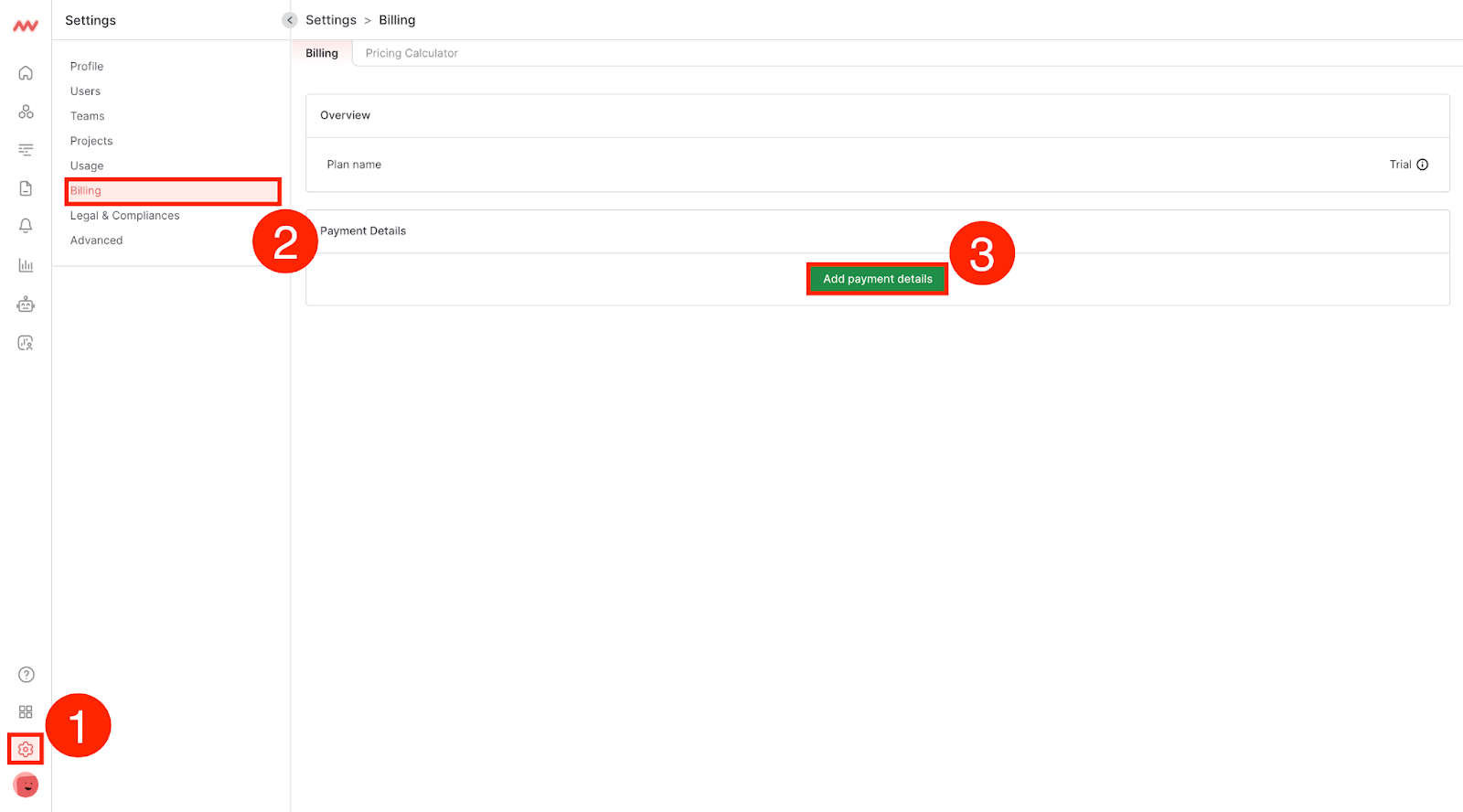
### Step 1: Navigate to Settings
Navigate to the Billing section in Settings and click Add Payment Details:
### Step 2: Add Billing Information
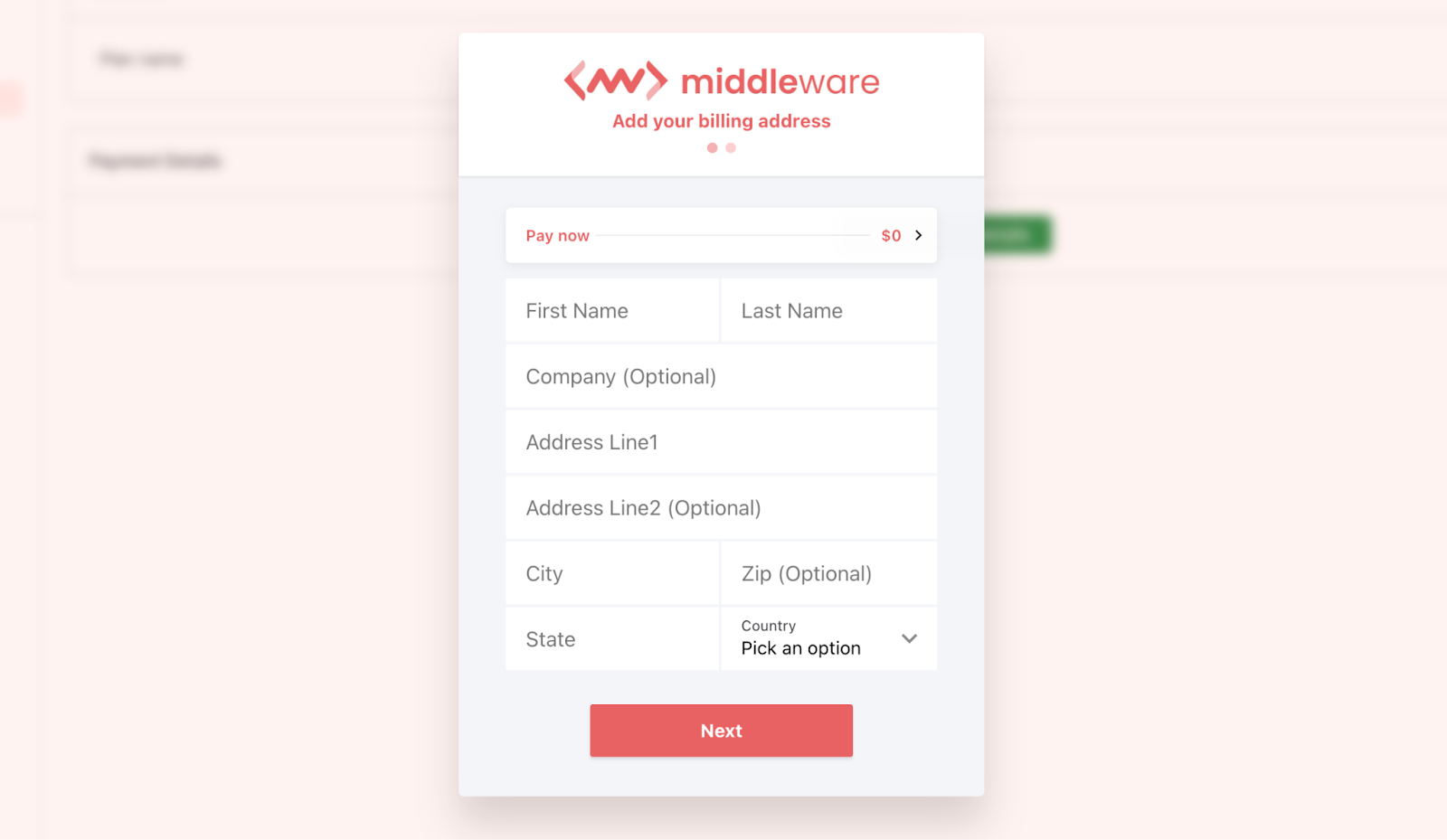
Middleware supports one Credit Card for your entire Account and will bill according to aggregate usage across all Projects.
Add your organization's payment information:
# Access Invoices
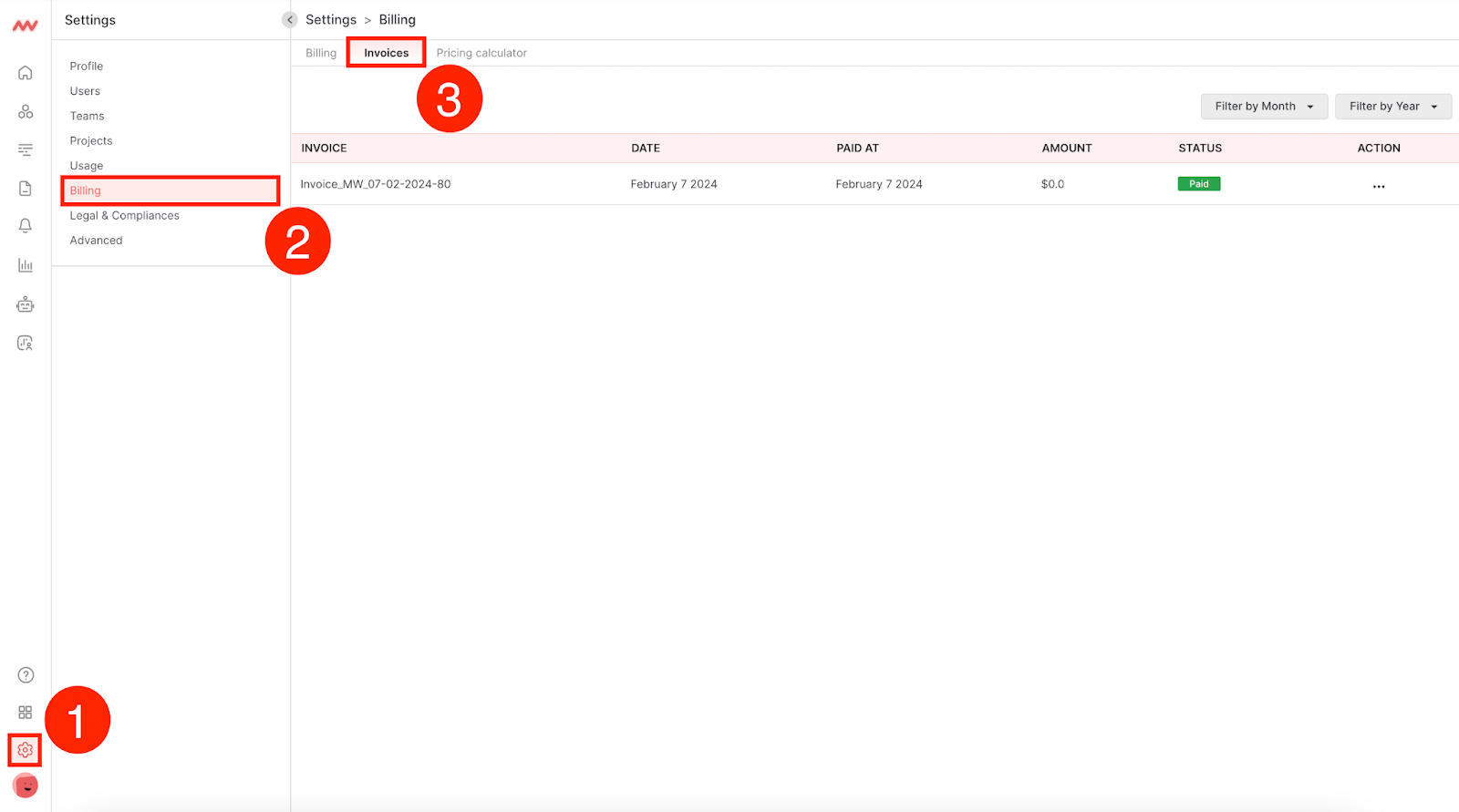
Navigate to the Billing section in Settings and click Invoices:
Need assistance or want to learn more about Middleware? Contact us at support\[at]middleware.io.