> ## Documentation Index
> Fetch the complete documentation index at: https://mw-docs.middleware.io/llms.txt
> Use this file to discover all available pages before exploring further.
# Teams
The Teams section allows organization administrators to create groups with specific roles, permissions, and visibility into Middleware.
# Create a Team
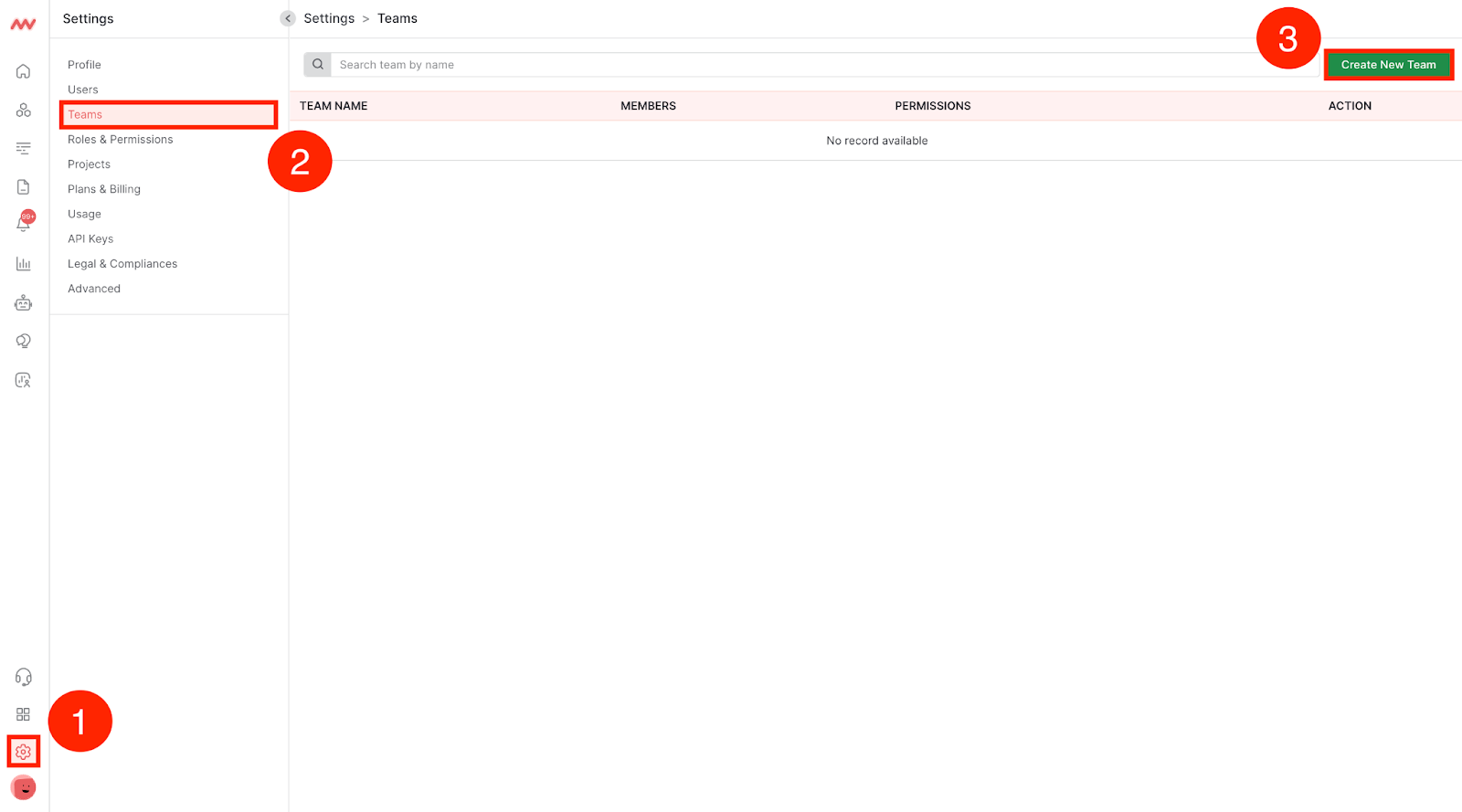
### Step 1: Navigate to Settings
Navigate to the Teams section in Settings and click Create New Team:
### Step 2: Add Team Members
Name your Team, add members of your organization, and select their shared role:
If you would like to create a role specific to a Team, navigate to the [Roles & Permissions](https://docs.middleware.io/admin/settings/role-&-permission) section to learn how to create a new role

Need assistance or want to learn more about Middleware? Contact us at support\[at]middleware.io.